For developers building with AI agents
20 skills / plain Markdown
Your AI-built UI stops looking AI-built.
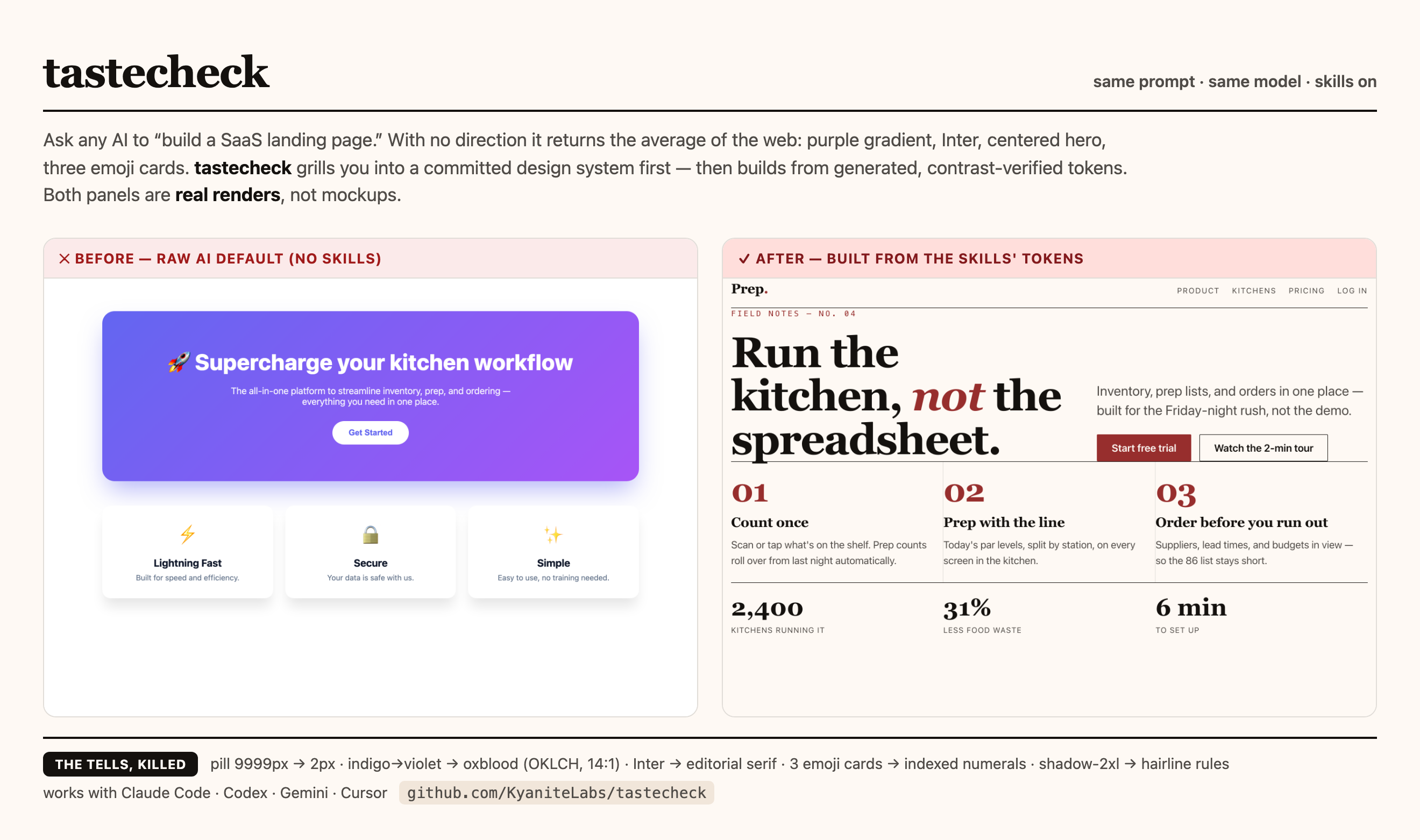
TasteCheck interviews you for a design direction before your agent writes code, gives it 20 craft skills for type, color, spacing, states, and motion, then ends with a SHIP or HOLD gate that checks the rendered page.
A point of view before the first component.
Give the build a direction.
- Interview
Answer pointed questions before your agent starts coding.
- Set the system
Name the type, color, spacing, and states your product can own.
- Build with craft
Use the skills while your agent shapes the interface.
- Check before ship
Get SHIP or HOLD from what was checked.
v1.7.0 · 20 skills · 20 canonical commands · 8 gallery systems
1 alias · 21 command files · Plain Markdown · MIT · npm: @kyanitelabs/tastecheck · tastecheck-pass rewritten first-principles (verdict-first, fail-closed) · gates video since v1.5.0
release evidence: PASS effectiveness: BLOCKED
01 / The problem
Your agent can build a page. Defaults choose the rest.
A working screen can still feel like every other AI-built interface: familiar type, familiar spacing, familiar cards. TasteCheck gives the build a direction before code makes those choices for you.
The problem
Generic defaults make a real product look unfinished.
Interview before code.
Answer pointed questions about the audience, product, and tone. The result is a direction your agent can use.
Name the design system.
Choose typography, OKLCH color, spacing, themes, and states before the components multiply.
Build with craft skills.
Use the 20 skills while you shape the interface. Forms, charts, motion, responsive behavior, and copy get the attention they need.
Check the result.
The evidence gate returns SHIP or HOLD from what was checked. Missing or conflicting observations keep the call at HOLD.
Your agent stays fast. Your product gets a point of view it can keep.
See the 20 skills02 / How it works
A real system makes the build easier to steer.
Start with the decisions that make an interface yours. Carry them into code. End with a clear call.
Interview first.
A short interview surfaces the audience, product promise, and visual direction before code.
| Direction | 3 skills |
| Foundations | 4 skills |
| Behavior | 4 skills |
| Surface | 3 skills |
| Accessibility | 2 skills |
| Language | 3 skills |
| Gate | 1 skill |
Build with craft.
Typography, OKLCH color, spacing, states, forms, charts, motion, and more stay in view as the interface takes shape.
Check before ship.
The gate returns SHIP or HOLD from recorded observations. It tells you what was checked and what still needs attention.
03 / What's inside
20 skills for the choices AI tends to flatten.
Use the group that matches the next decision in your build. Together, these skills cover the parts that make an interface feel like a product.
Choose the direction
Interview, improve, or try a seeded direction before the first component.
Set the foundations
Type, color, spacing, and themes give the interface a consistent visual language.
Design the behavior
Responsive layouts, component states, forms, and empty states keep the product useful.
Shape the surface
Motion, data, and art direction make the system feel specific to the product.
Check the experience
Accessibility, cognitive load, language readiness, and plain copy keep the interface clear.
Make the call
The gate turns what was checked into a SHIP or HOLD decision.
States
Every state gets a place.
Default state. Activate to inspect loading and disabled.
Forms
A good form tells you what to fix.
Recovery
Empty and error states keep the next move visible.
A preview is ready.
04 / The gate
This landing page is the integration surface.
GitHub Pages homepage represents every skill concern directly. The page carries the design direction, the craft skills, and the live contract surfaces in one readable route.
The landing page is the canonical proof journey: named controls expose theme, state, form, recovery, chart, and accessibility behavior without sending the reader to a side demo. The score and gate remain accountable judgment + evidence, not an objective guarantee.
See the gate's boundary05 / Install
Give your coding agent a design system to follow.
TasteCheck is plain Markdown with no runtime or SDK. Point your agent at the relevant SKILL.md, or install the kit into its skill directories.
Install the kit
git clone https://github.com/KyaniteLabs/tastecheck
./tastecheck/install.sh
The installer places the skills where your coding agent can read them.
Open TasteCheck on GitHub